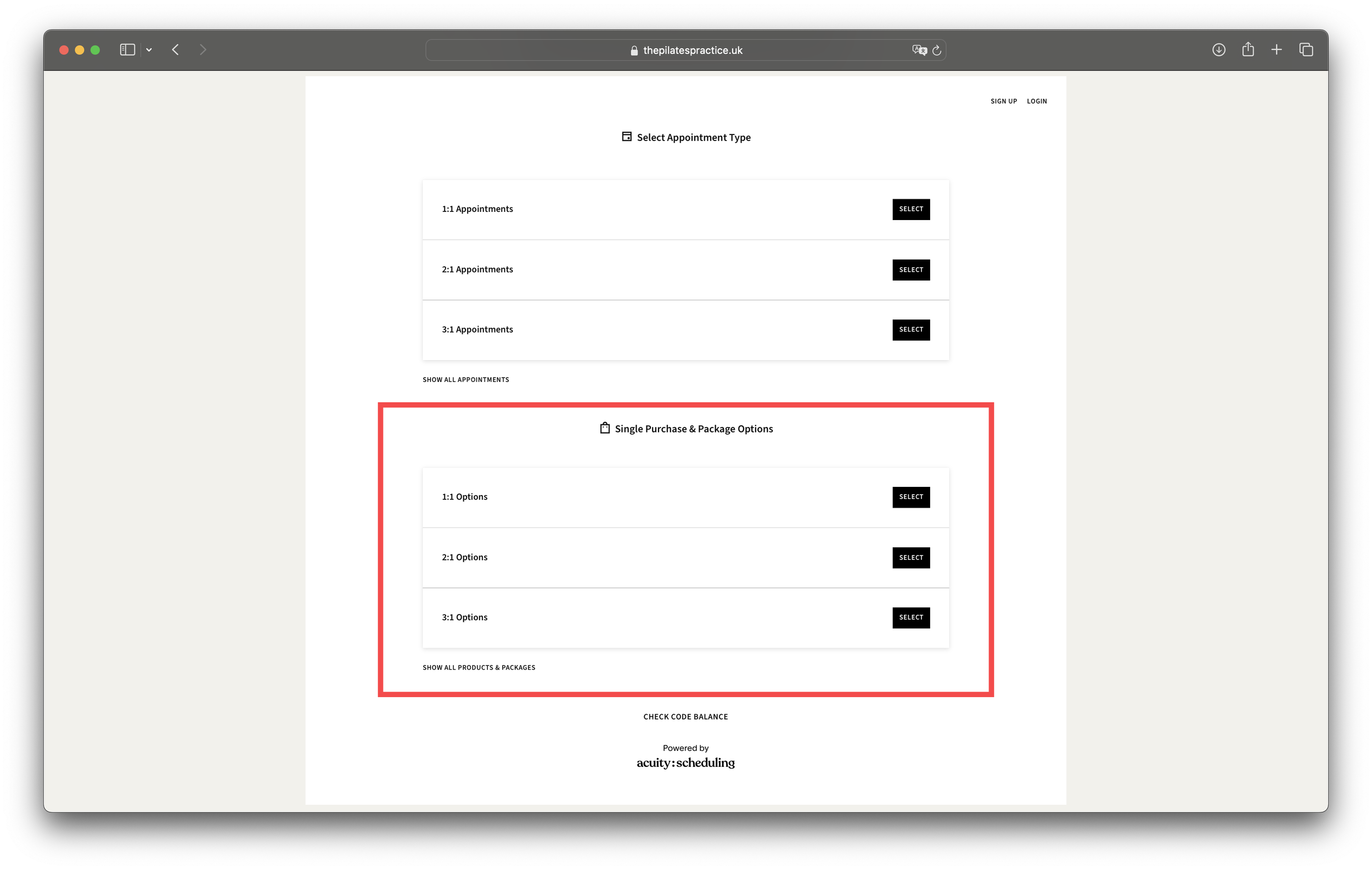
Firstly you need to purchase your desired quantity of sessions from the 'Single Purchase and Packages' section on the main booking page - highlighted here in red.
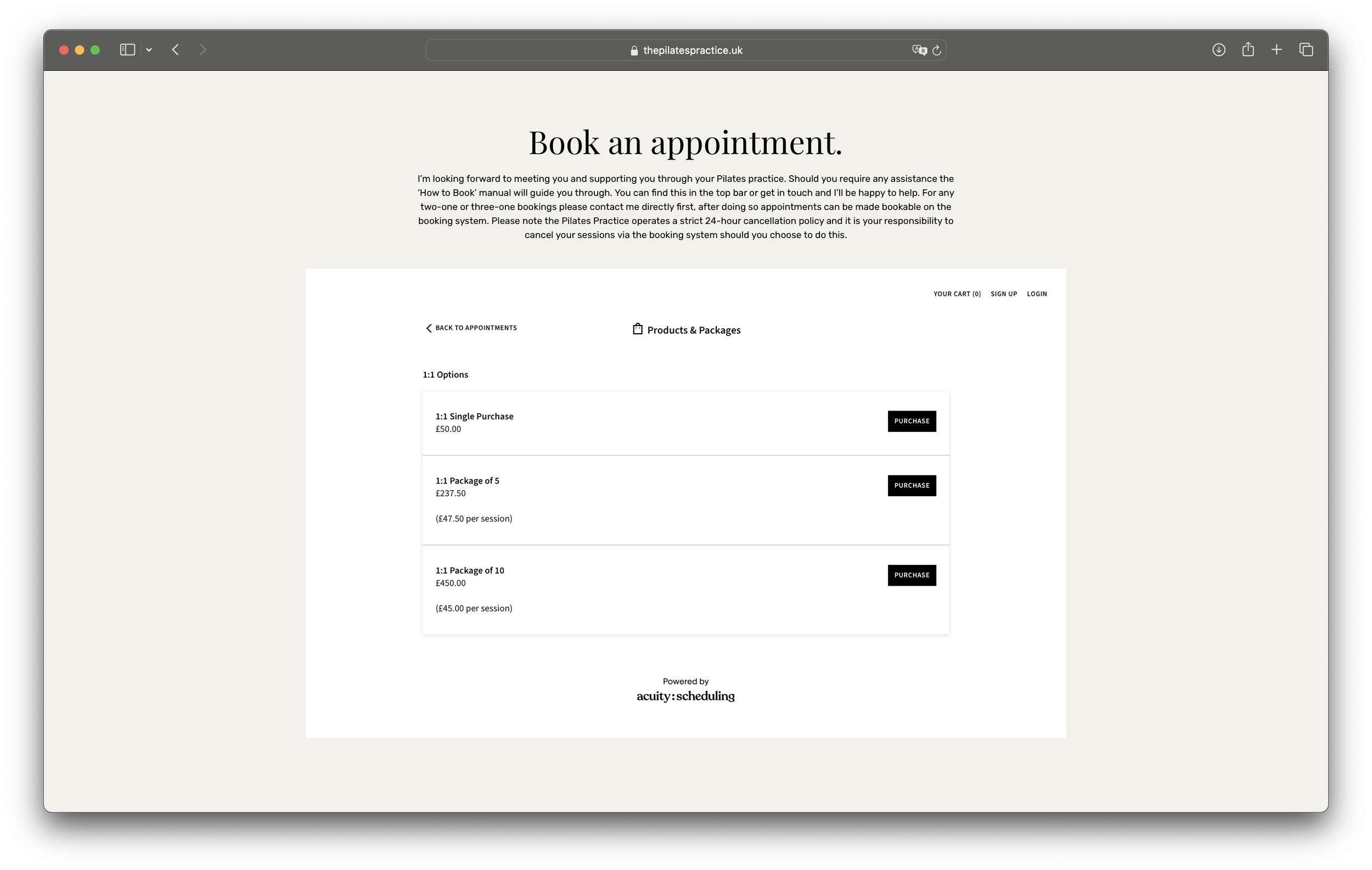
Select the relevant package type you'd like to purchase, 1:1, 2:1 or 3:1 - here is an example of a 1:1 package options.
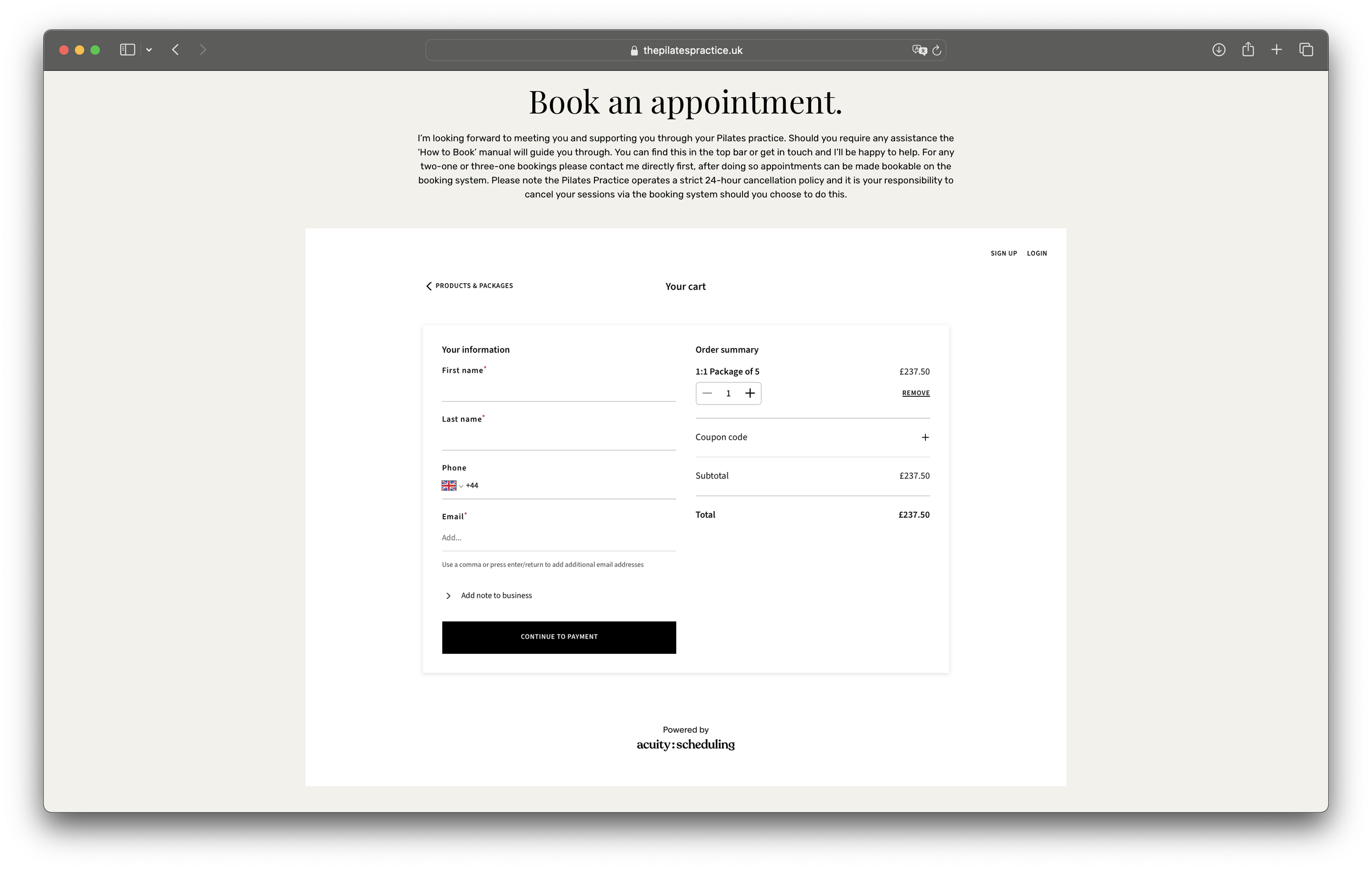
Enter your details and continue to payment.
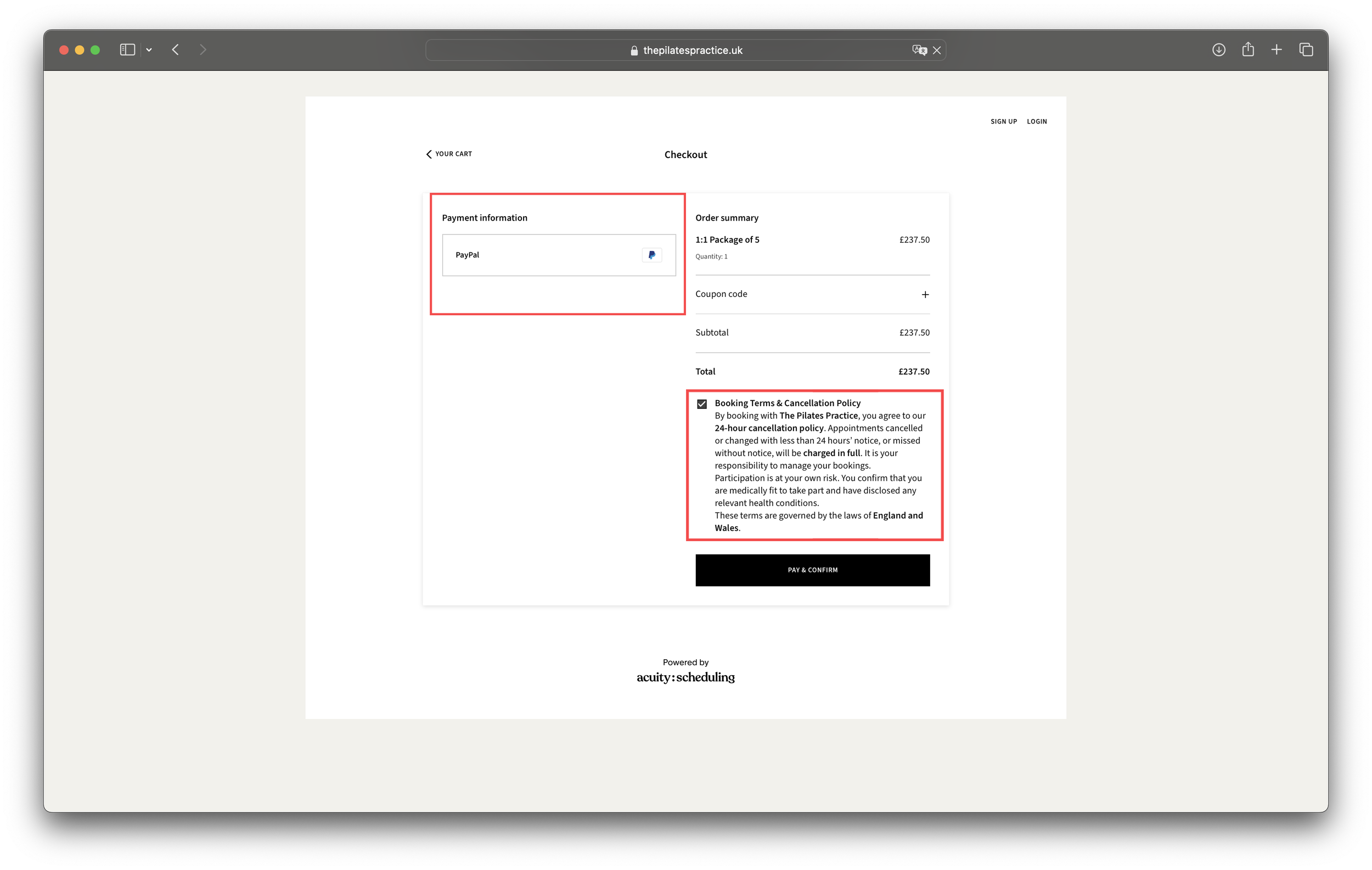
Please note PayPal is simply the payment processor to allow transactions to be made via the booking system. You are not paying via PayPal here. Be sure to read and check the terms and conditions and confirm purchase.
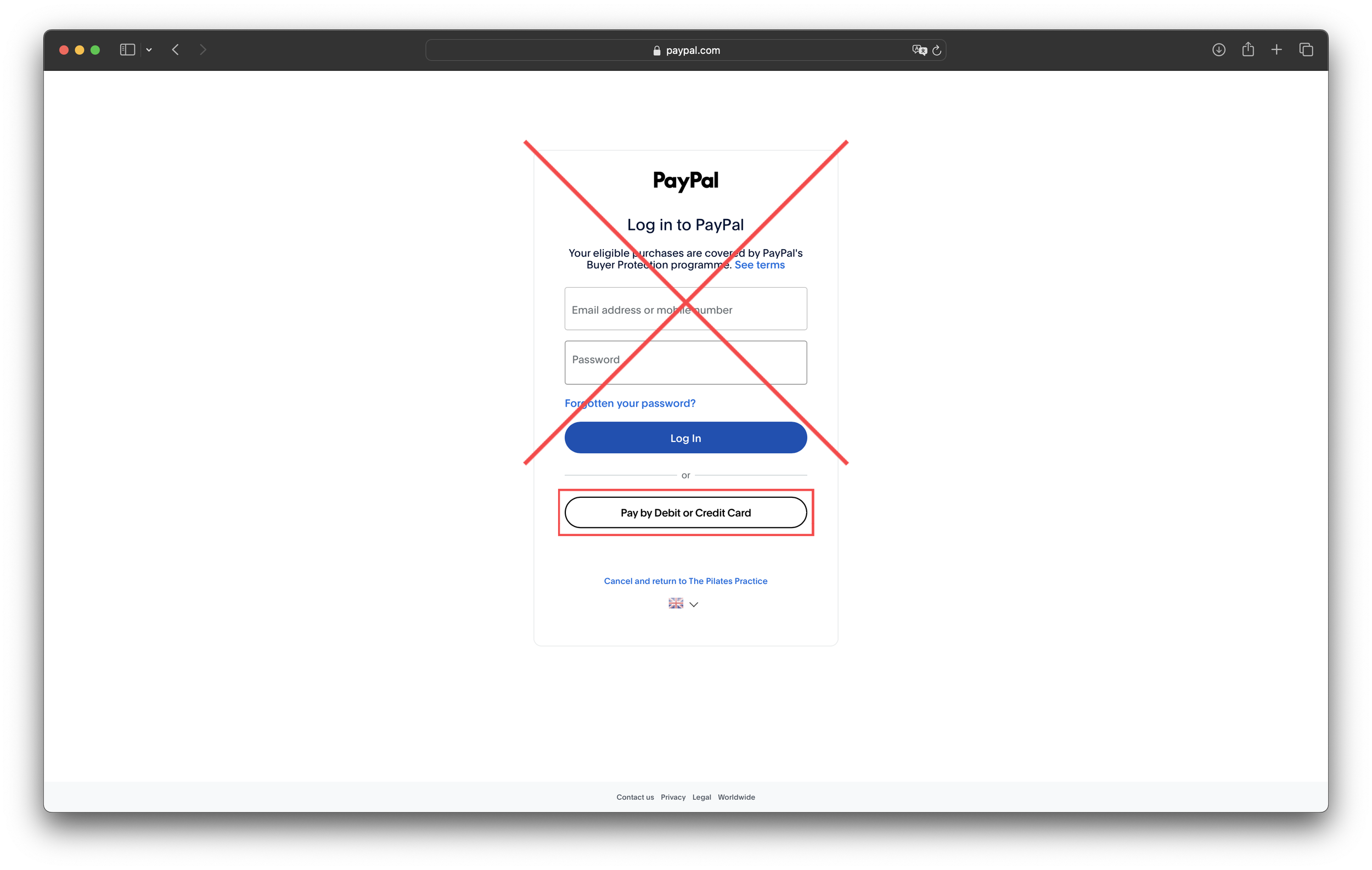
You do not need to make a PayPal account or pay through PayPal. Select pay by 'Debit or Credit Card'
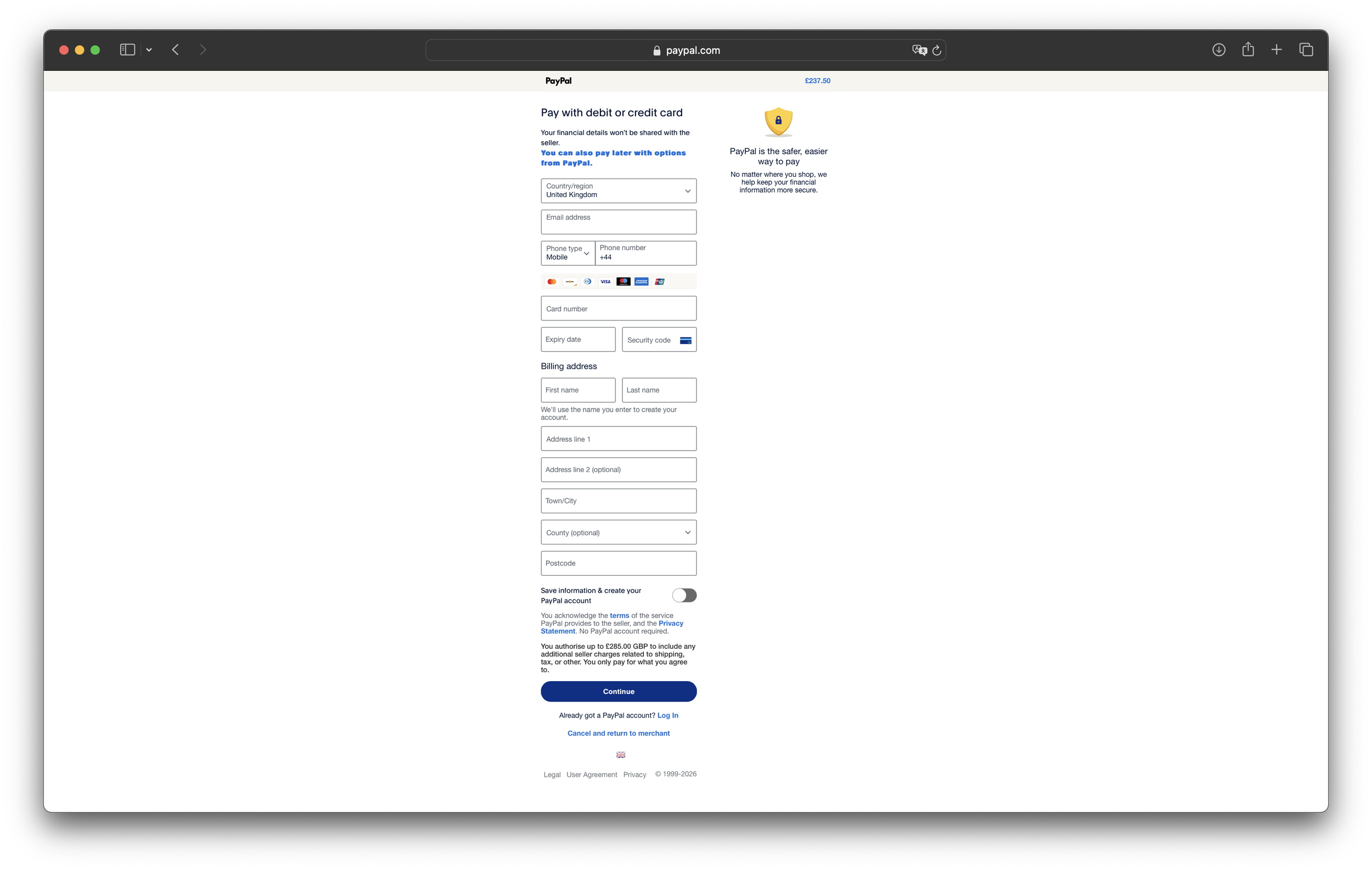
Enter your payment details and scroll down to select continue.
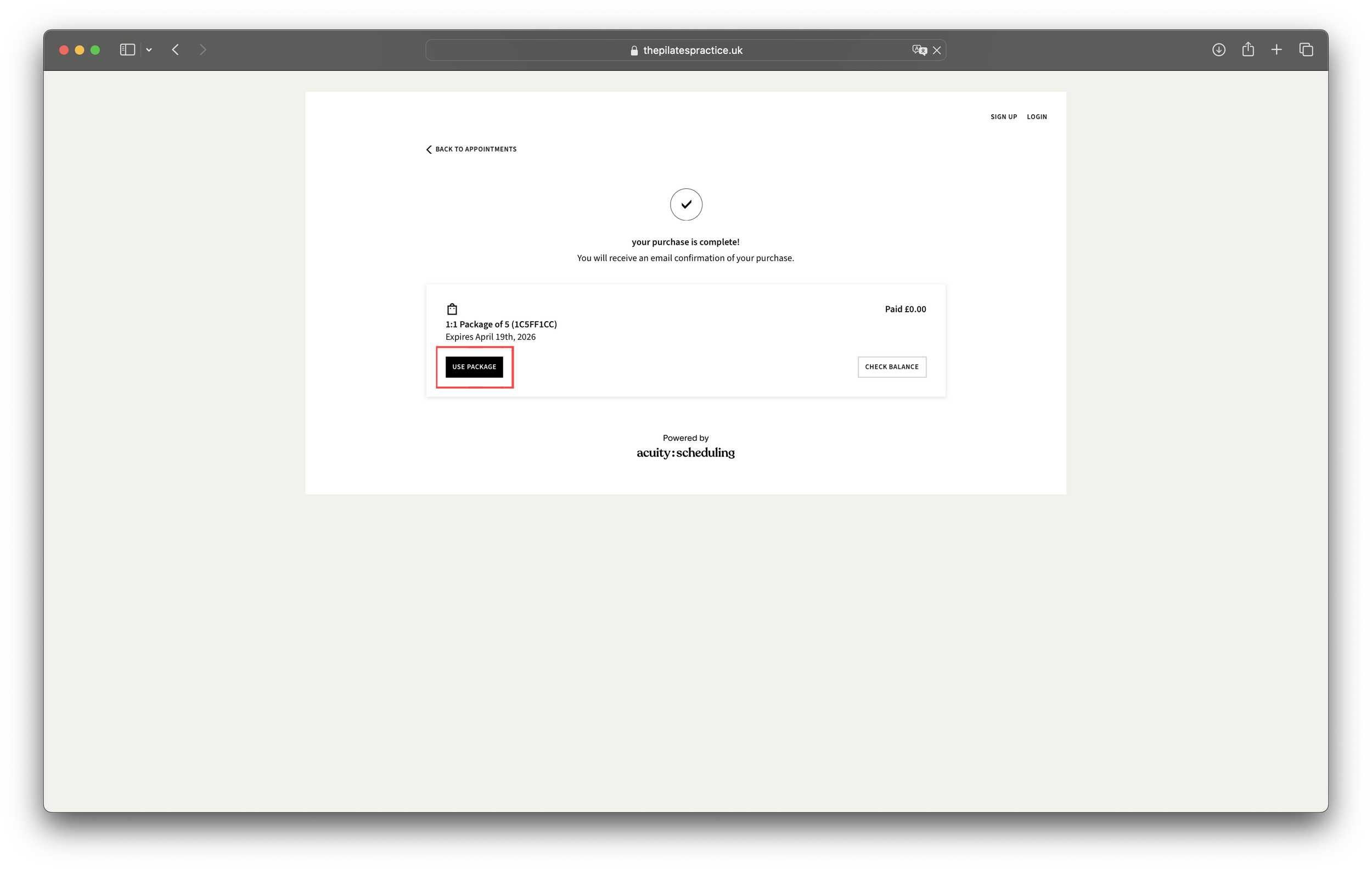
Once your purchase is complete select 'use package'
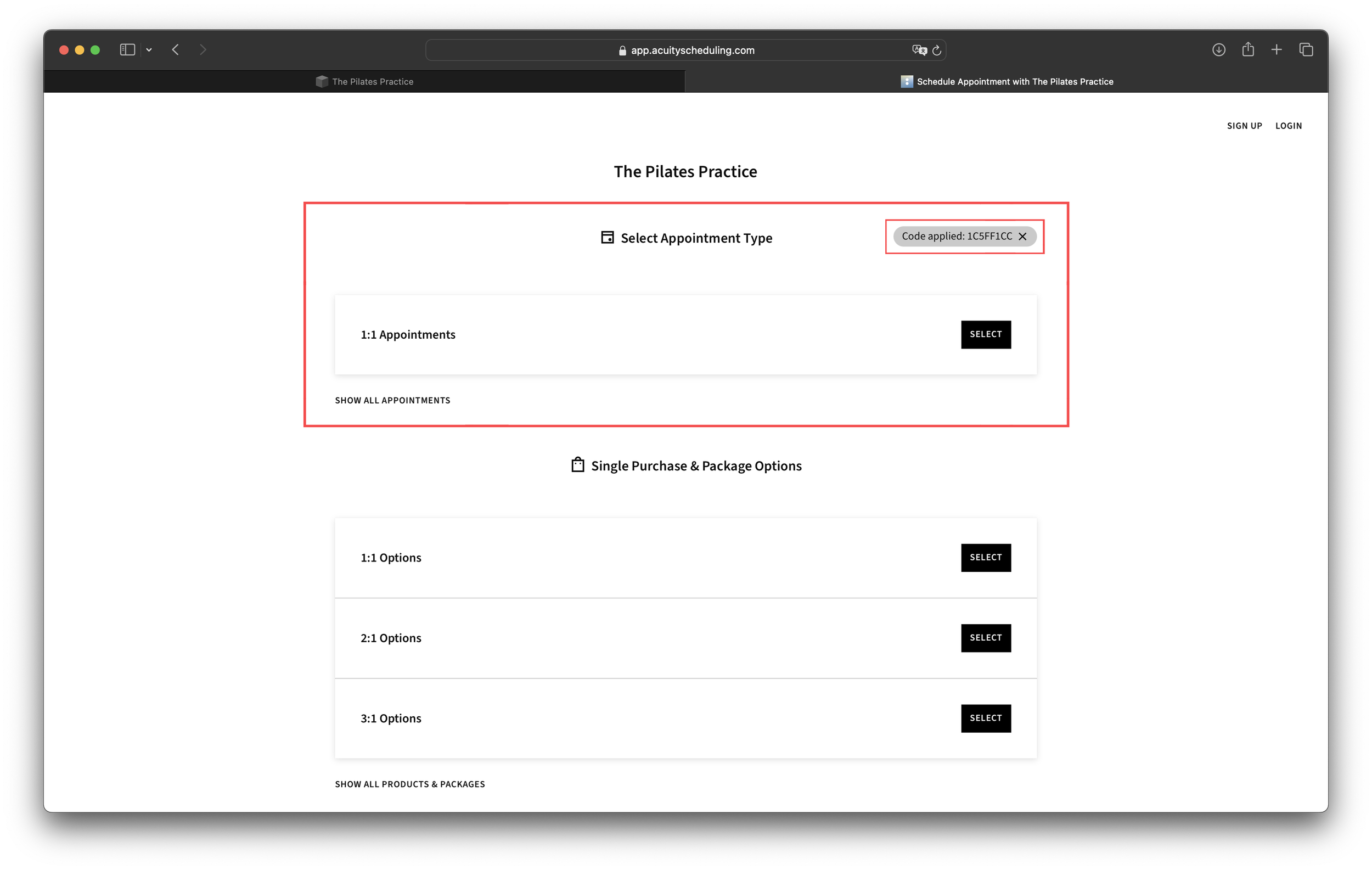
Please note the applied code highlighted in red in the top right hand corner. You do not need to do anything with this, it simply acts like a voucher allowing you to go through the booking system and make appointments without further charges. Select your appointment type. Here you can see only 1:1 appointments are available as we have gone through a 1:1 booking process in this manual. You will see options for 2:1 and/or 3:1 if you have purchased these packages.
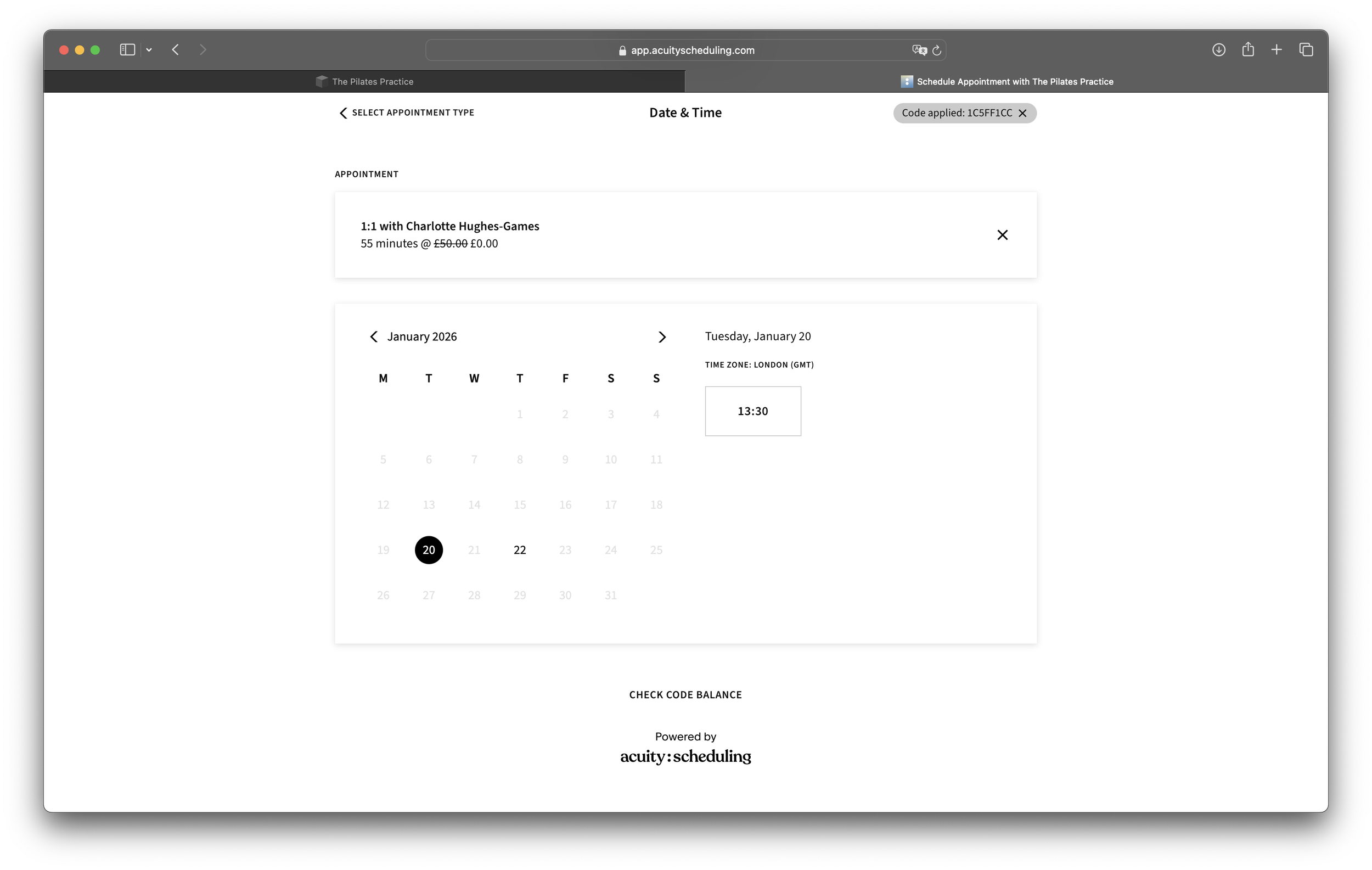
Select your first session.
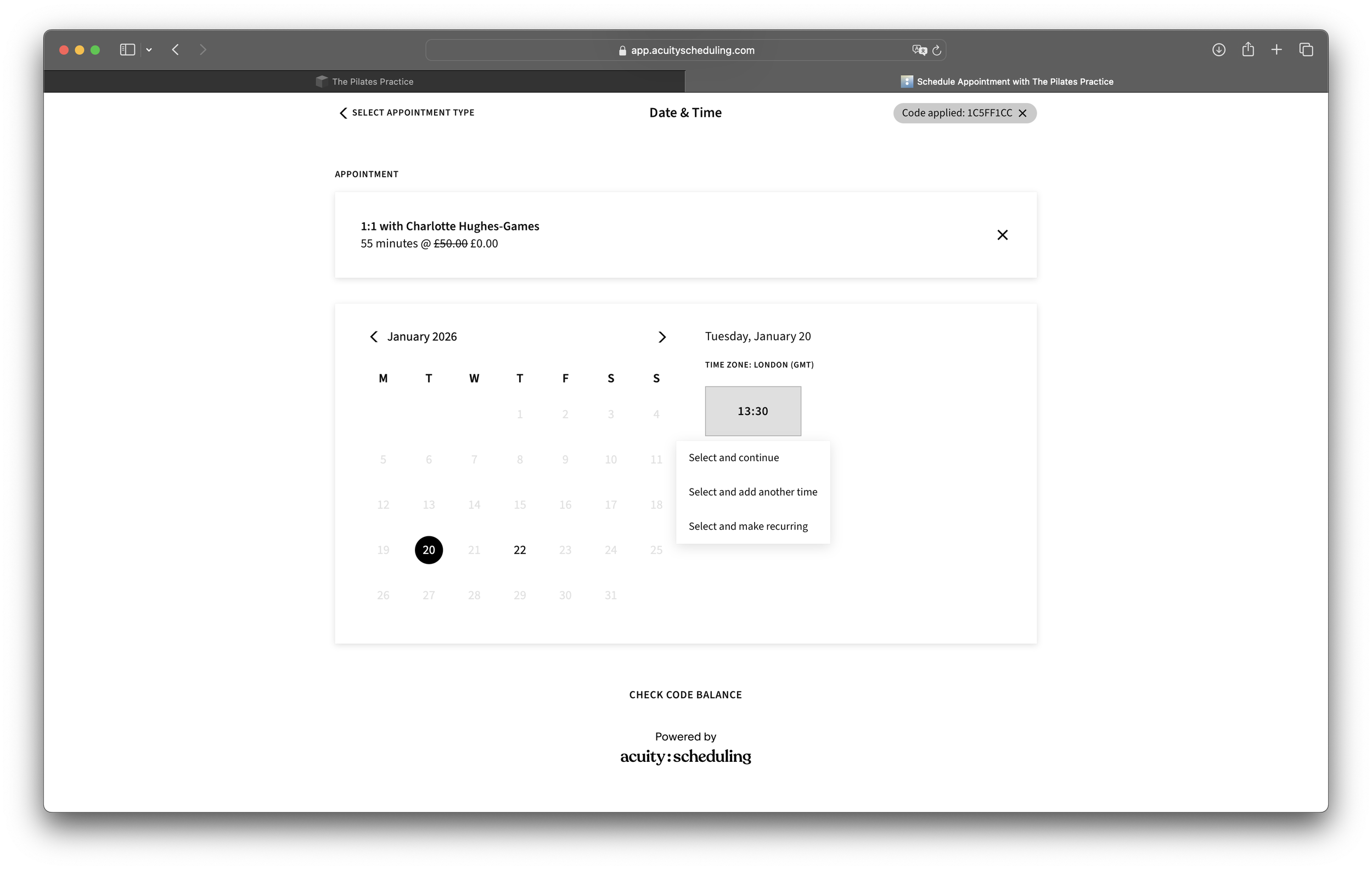
You will be offered the choice to select individual dates or weekly recurring appointments.
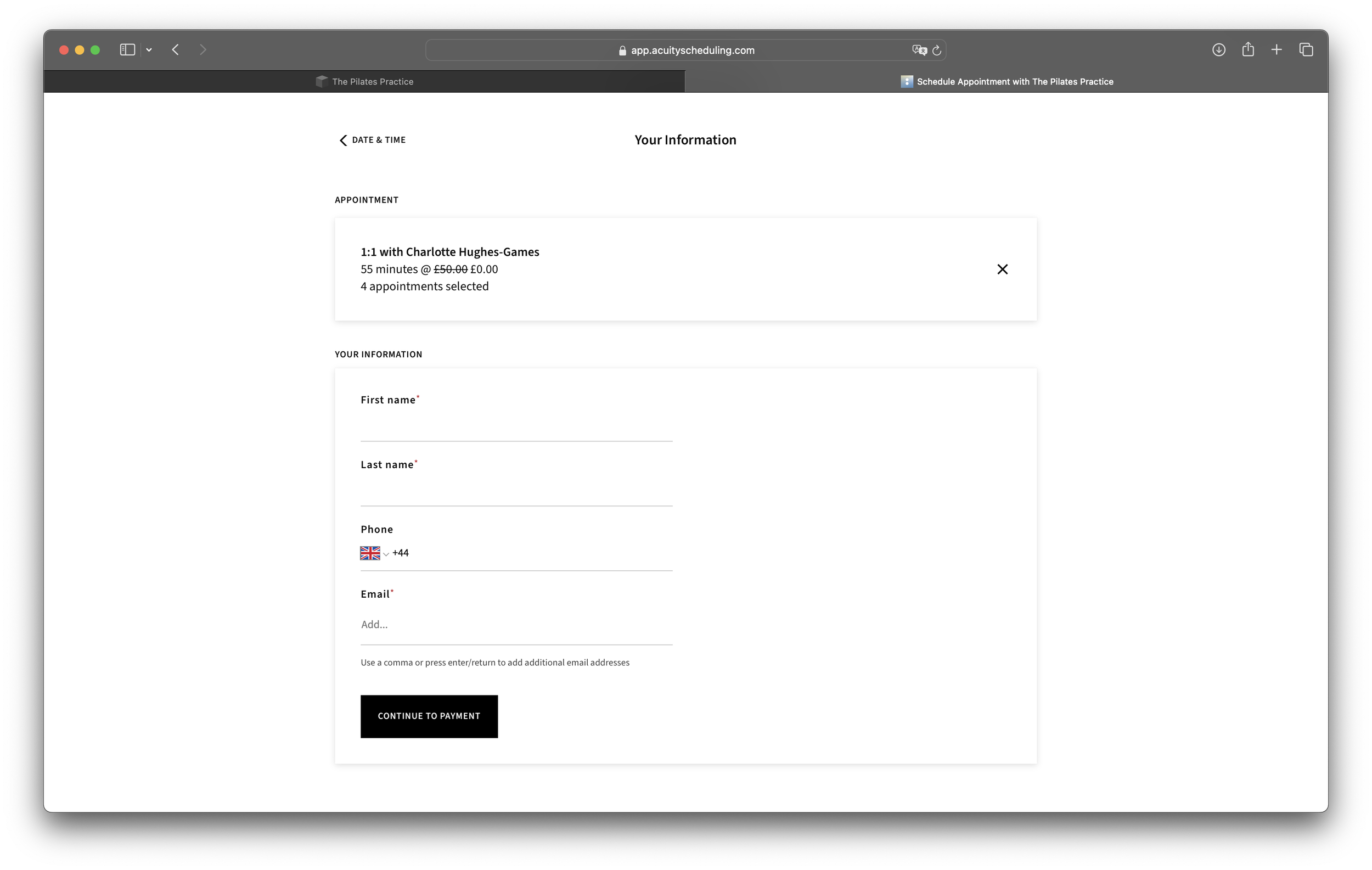
Don't panic your code is applied and you have already paid! Please select 'continue to payment'
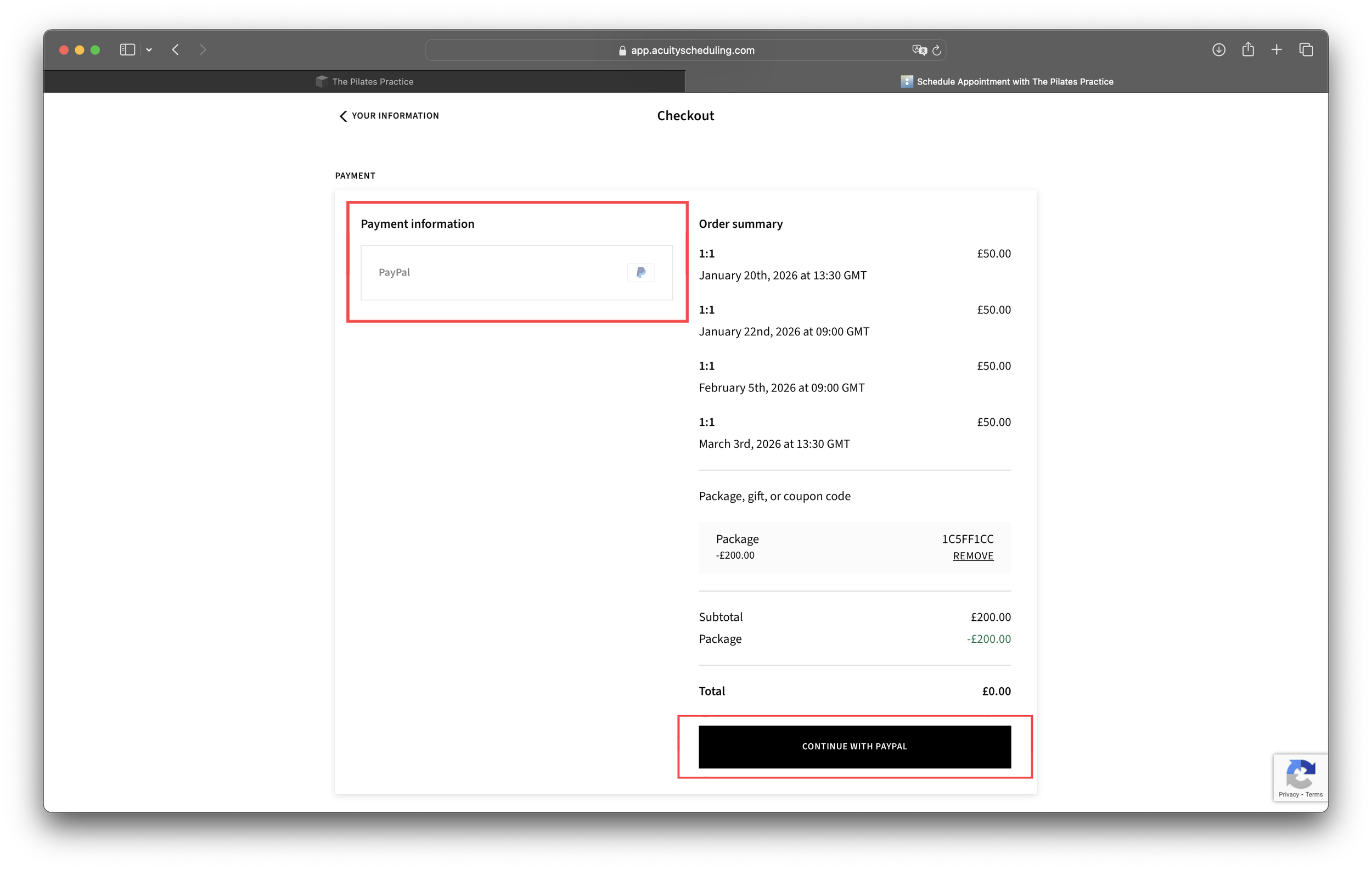
PayPal is simply acting to process transactions, you will not be redirected to PayPal. Select 'continue with PayPal'
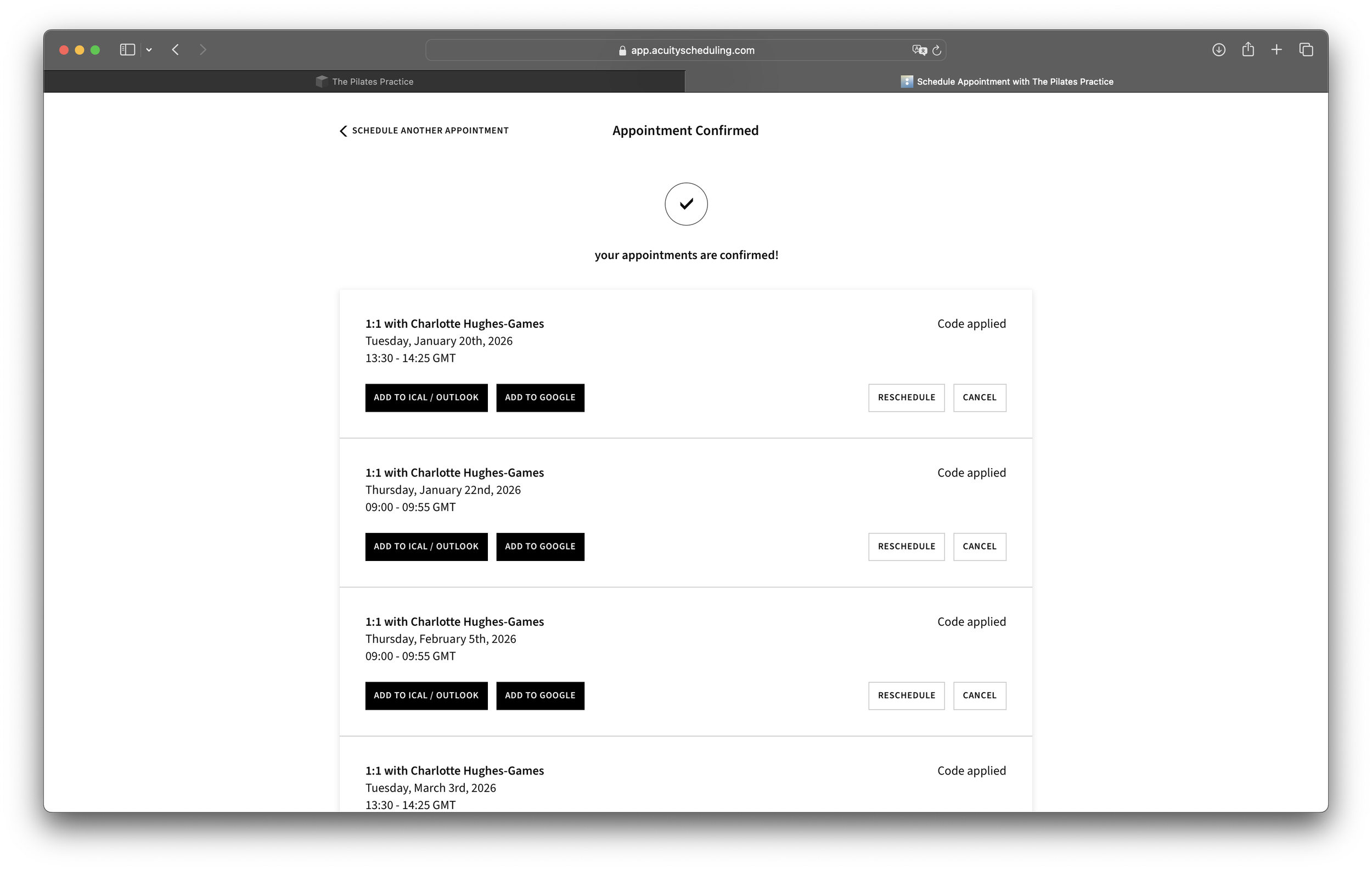
Hooray! I look forward to seeing you in the studio.